


Skip to content
Create a free account

CR1 For creators

Build a connected body of work, give it a public page worth sharing, and make it immediately useful inside the games people already run.

CR2 From workshop to catalogue

The work stays recognisable after you publish it.

Readers get a polished public page. If you decide to sell, Studio adds the commercial controls without touching the content underneath.

  1. Write

    Tools shaped around the work

    Rules, worldbuilding and game assets each get their own shape. Authoring a creature means real fields and real behaviour, with the stat block previewed as you write.

  2. Publish

    Publish for people to use

    Public work is readable, searchable, shareable and live inside Bookwyrm. A published stat block gets its own public page.

  3. Sell

    Sell when it fits the work

    Set the product model, the price and the rights in the same team workspace. Studio adds the commercial controls without touching the content underneath.

01 Workshop
The Bookwyrm authoring workshop creating a creature, with its stat block previewed beside the form
02 Public page
A published creature stat block on its public Bookwyrm page
03 Product page

CR3 Author

Tools shaped around
the work you are making.

Rules, worldbuilding and game assets each get their own shape, instead of every idea being forced through one generic editor.

Structured where structure helps
Author creatures, spells, items, character options and generators with fields made for the content, so the rules come along with them.
Flexible where ideas need room
Write lore, adventures, handouts, maps and audio alongside the rules content they enrich.
Connected references
Link a spell, creature or item instead of repeating it, so the same wording follows a reader everywhere it appears.
Build on existing content
Add your own material to an existing entry without copying the whole stat block or rule into your book.
Maps ready for other tables
Calibrate a grid, set up walls and lights, then export a Universal VTT file. Offer gridded, gridless and watermarked views when the source art allows it.
Writing guidance as you work
Get style suggestions and warnings about names that may carry licensing risk. Review the advice yourself before publishing.
Optional help from Quill
Take creative assistance when it earns its place, and keep every editorial decision and the final word in your hands.

CR4 Publish

Turn a library into
a public catalogue.

A creator on Bookwyrm publishes for people beyond their own table. The public experience is part of the product, not an afterthought.

1 / 4

Publish a body of work

Gather your work into compendiums with an identity of their own, rather than releasing a trail of disconnected posts.

2 / 4

Public pages built to be found

Readers get clear, searchable pages they can browse, share and return to without the authoring app.

3 / 4

Free and paid both belong

Share community work freely, sell a release, or offer ongoing access. Publishing does not have to begin with a price tag.

4 / 4

Solo friendly, team ready

Start alone and bring collaborators in when a project grows, with the compendium staying the shared source of truth.

CR5 Sell when it fits

Commerce supports the work.
It does not define it.

Sell single releases or run memberships through your storefront, with access flowing straight into the buyer's library. Or publish for free and think only about reach.
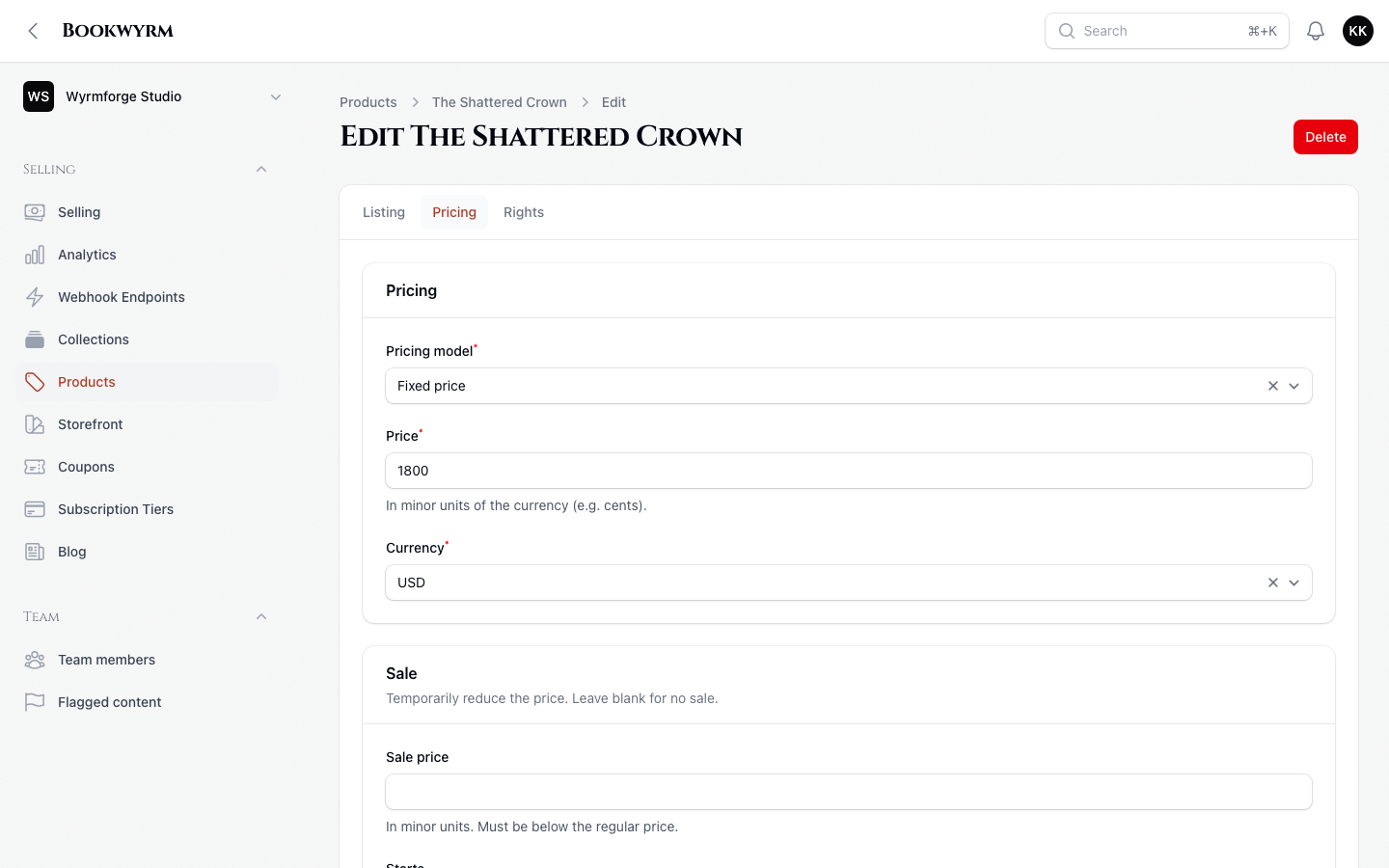
The Bookwyrm Studio product editor showing fixed-price controls for a published compendium
Commerce controls sit beside the work, not on top of it.

Build something other tables can use.

Pick up your dice.

Obsidian and gold, straight from the app. Grab one and give it a spin, then bring them to your own table.


Quick search

⌘O
Searching all accessible entries
  • Search by name, or choose a recently opened entry.
Add to…
Full-text search — matches in entries, pages, notes and your uploaded documents. Filter with @ and #; start with ! to search everything you can access.
  • Type to search the full text of everything you can access, including uploaded documents.
↵ open ⌘↵ new tab