DM1 For Dungeon Masters
Prepare the adventure, gather your players, run the session, and keep the campaign’s memory intact without stitching together a stack of unrelated tools.
DM2 The campaign flow
From the first note to the session recap.
Bookwyrm follows the way a home-table DM actually works, with one campaign carrying the context through every stage.
-
01
Prepare
Collect rules, homebrew, maps, encounters, notes and handouts inside the campaign they are meant for.
-
02
Gather
Invite the party, connect their characters, share the compendiums they are allowed, and keep the table talking in one place.
-
03
Run
Move into a live session with the tabletop, initiative, dice, chat, handouts and soundboard already around you.
-
04
Remember
Notes, transcripts, rolls and campaign history stay attached to the adventure instead of scattering across old tabs.

DM3 Campaign command centre
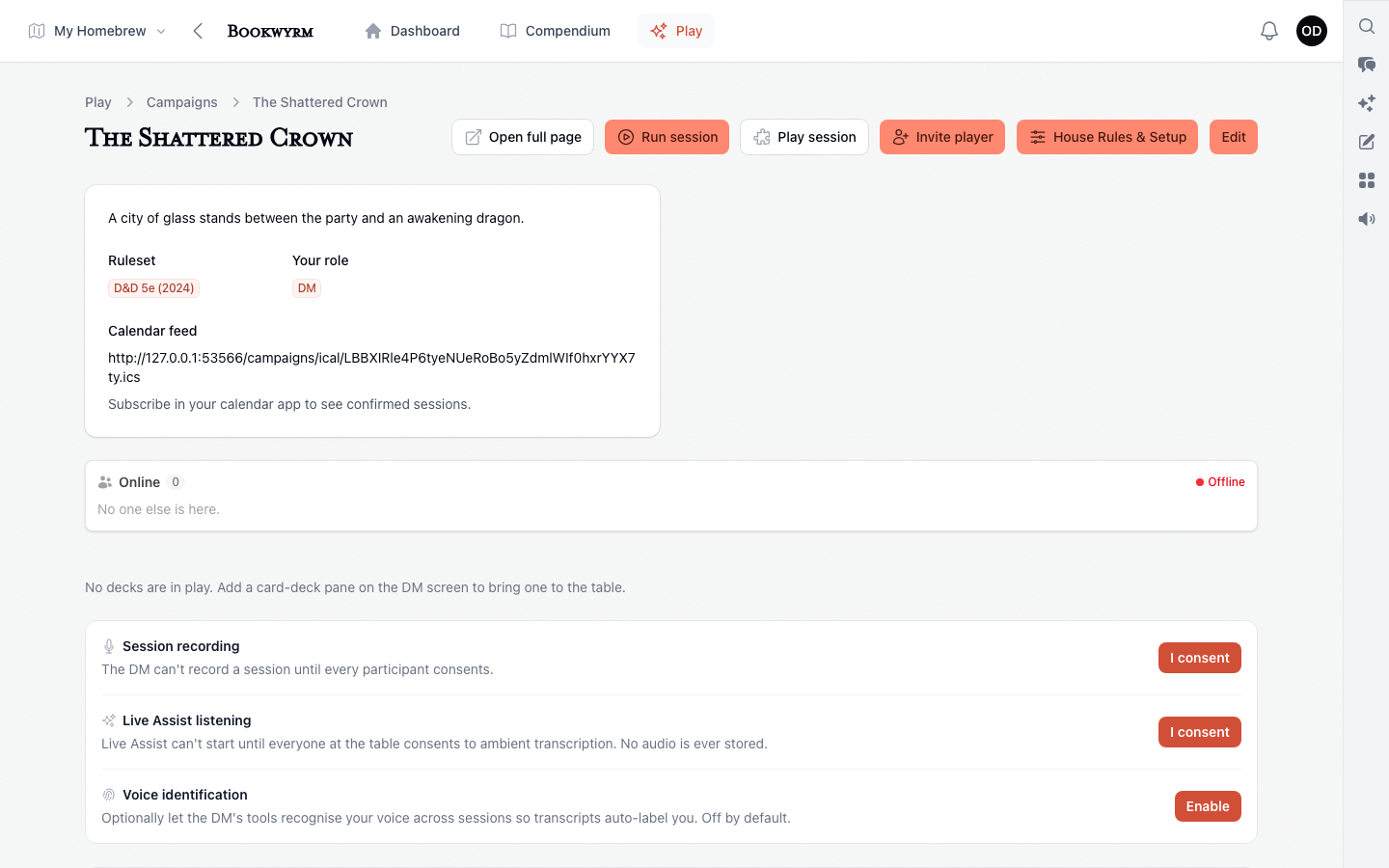
Open the campaign and know what comes next.
The campaign home is the way into the work, not another dashboard asking you to organise the dashboard.
- The next session at a glance
- See what needs attention before the party arrives, then move straight into preparation or play.
- Players and characters in context
- Know who has joined, which character they bring, and what the group can reach.
- Campaign tools, not global clutter
- Notes, encounters, maps, chat and session controls open in the context of the campaign you are running.
- Ready content before blank forms
- Begin with searchable 5e rules and published work, then write homebrew only where the adventure needs it.
DM4 At the table
Fast enough for live play. Connected enough to remember it.
Use only the tools the session needs. Recording, transcription, Live Assist and AI-supported preparation stay optional and out of the way until you call for them.

DM5 Your table
Give the campaign a place to live.
Start with ready-to-use rules and bring in your own world as the party discovers it.